Peak Locator
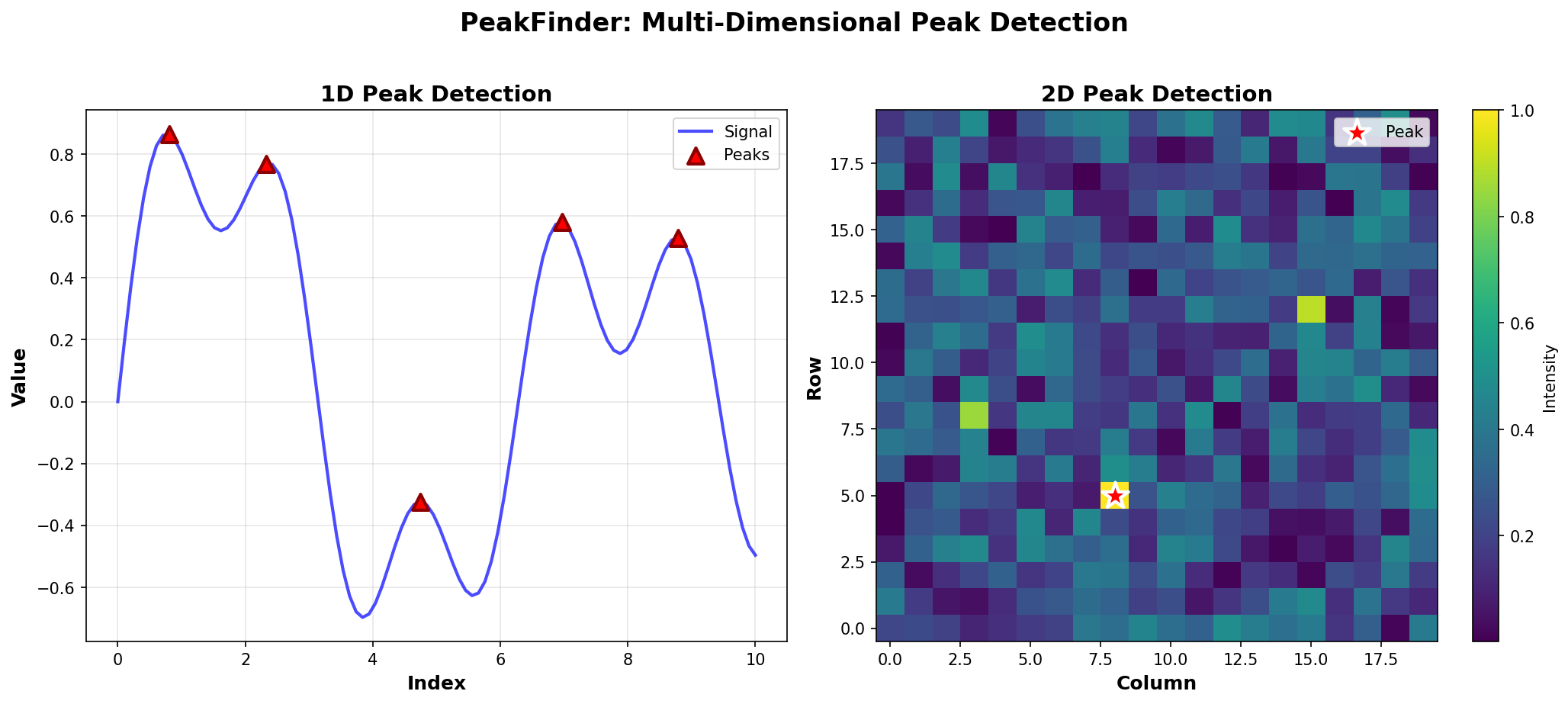
Deterministic Peak Detection for Multi-Dimensional Data
Quick Start Guide
Get started with PeakFinder in 5 minutes.
Installation
pip install peakfinder
For visualization features:
pip install peakfinder[viz]
Your First Peak
The simplest way to use PeakFinder is with the PeakDetector class:
from peak_locator import PeakDetector
import numpy as np

# Create some data
arr = np.array([1, 3, 2, 5, 4])

# Create a detector
detector = PeakDetector(arr)

# Find a peak
peak_idx = detector.find_any_peak()
print(f"Peak at index {peak_idx} with value {arr[peak_idx]}")
# Output: Peak at index 3 with value 5
1D Arrays
Finding Any Peak
arr = np.array([1, 5, 2, 6, 3])
detector = PeakDetector(arr)
peak = detector.find_any_peak()
print(f"Found peak at index {peak}")
Finding All Peaks
arr = np.array([1, 5, 2, 6, 3])
detector = PeakDetector(arr)
all_peaks = detector.find_all_peaks()
print(f"Found {len(all_peaks)} peaks: {all_peaks}")
# Output: Found 2 peaks: [1, 3]
Counting Peaks
arr = np.array([1, 5, 2, 6, 3, 4, 2])
detector = PeakDetector(arr)
count = detector.count_peaks()
print(f"Total peaks: {count}")
2D Matrices
matrix = np.array([
    [1, 2, 3],
    [4, 9, 5],
    [6, 7, 8]
])

detector = PeakDetector(matrix)
row, col = detector.find_peak_2d()
print(f"Peak at row {row}, column {col}")
print(f"Value: {matrix[row, col]}")
Algorithm Modes
PeakFinder automatically selects the best algorithm, but you can override:
# Use brute force
detector = PeakDetector(arr, mode="brute")

# Use binary search
detector = PeakDetector(arr, mode="binary")

# Use hybrid (handles duplicates)
detector = PeakDetector(arr, mode="hybrid")

# Let PeakFinder decide (default)
detector = PeakDetector(arr, mode="auto")
Handling Duplicates
By default, PeakFinder handles arrays with duplicate values:
arr = np.array([1, 2, 2, 2, 3, 2, 1])
detector = PeakDetector(arr, allow_duplicates=True)
peak = detector.find_any_peak()
print(f"Peak found at index {peak}")
Visualization
Visualize your peaks (requires peakfinder[viz]):
from peak_locator.visualization import plot_1d_peaks

arr = np.array([1, 5, 2, 6, 3, 4, 2])
plot_1d_peaks(arr, show_all=True)
Next Steps
- Read 1D Peak Detection Examples for detailed 1D usage
- Check out 2D Peak Detection Examples for matrix operations
- Learn about Peak Counting for efficient counting
- Explore Segment Tree Usage for advanced queries