Peak Locator
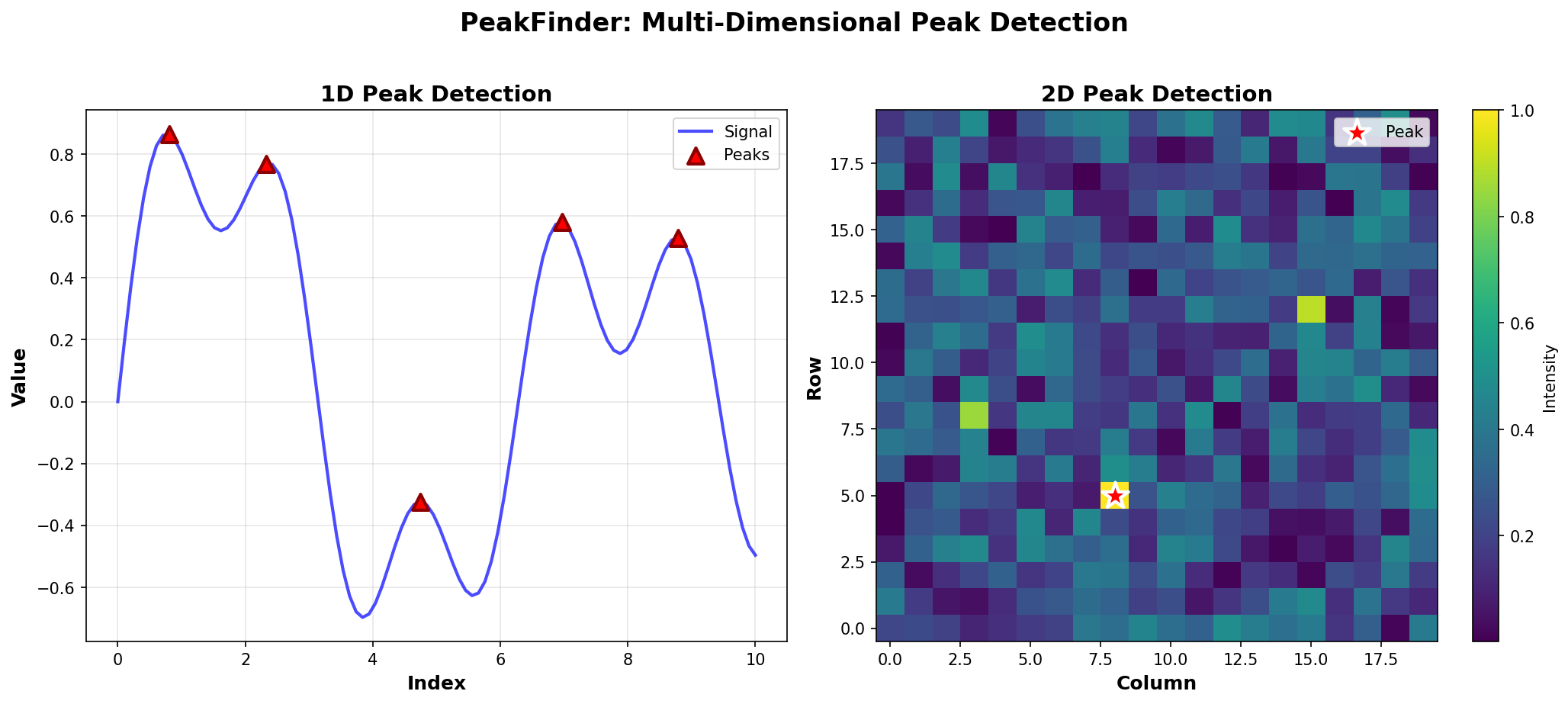
Deterministic Peak Detection for Multi-Dimensional Data
1D Peak Detection Examples
Comprehensive examples for detecting peaks in 1D arrays.
What is a Peak?
A peak in a 1D array is an element that is greater than or equal to both its neighbors. Boundary elements (first and last) are peaks if they are greater than or equal to their only neighbor.
Basic Examples
Simple Peak
from peak_locator import PeakDetector
import numpy as np

arr = np.array([1, 3, 2])
detector = PeakDetector(arr)
peak = detector.find_any_peak()
print(f"Peak at index {peak}, value {arr[peak]}")
# Output: Peak at index 1, value 3
Multiple Peaks
arr = np.array([1, 5, 2, 6, 3])
detector = PeakDetector(arr)
all_peaks = detector.find_all_peaks()
print(f"Peaks at indices: {all_peaks}")
# Output: Peaks at indices: [1, 3]
Peak at Boundary
arr = np.array([5, 3, 2, 1])
detector = PeakDetector(arr)
peak = detector.find_any_peak()
print(f"Peak at index {peak}")
# Output: Peak at index 0 (first element is a peak)
Algorithm Comparison
Brute Force Mode
Best for small arrays or when you need simplicity:
arr = np.array([1, 5, 2, 6, 3])
detector = PeakDetector(arr, mode="brute")
peak = detector.find_any_peak()
Time Complexity: O(n)
Use When: Small arrays, simple cases
Binary Search Mode
Optimal for large arrays without duplicates:
arr = np.array([1, 2, 3, 4, 5, 4, 3, 2, 1])
detector = PeakDetector(arr, mode="binary")
peak = detector.find_any_peak()
Time Complexity: O(log n)
Use When: Large arrays, no duplicates
Hybrid Mode
Handles duplicates by compressing them first:
arr = np.array([1, 2, 2, 2, 3, 2, 1])
detector = PeakDetector(arr, mode="hybrid")
peak = detector.find_any_peak()
Time Complexity: O(n) worst case, O(log n) best case
Use When: Arrays with duplicate values
Auto Mode (Recommended)
Let PeakFinder choose the best algorithm:
arr = np.array([1, 2, 2, 2, 3, 2, 1])
detector = PeakDetector(arr, mode="auto")
peak = detector.find_any_peak()
Auto mode:
- Uses hybrid if duplicates are detected
- Uses binary search otherwise
- Optimizes for your specific data
Real-World Examples
Signal Processing
import numpy as np
from peak_locator import PeakDetector

# Generate a signal with peaks
t = np.linspace(0, 4*np.pi, 100)
signal = np.sin(t) + 0.1 * np.random.randn(100)

detector = PeakDetector(signal)
peaks = detector.find_all_peaks()
print(f"Found {len(peaks)} peaks in signal")

# Filter peaks by minimum height
min_height = 0.5
significant_peaks = [p for p in peaks if signal[p] > min_height]
print(f"Found {len(significant_peaks)} significant peaks")
Time Series Analysis
# Stock price peaks
prices = np.array([100, 105, 102, 110, 108, 115, 112, 120, 118])
detector = PeakDetector(prices)
peaks = detector.find_all_peaks()

print("Price peaks (local maxima):")
for peak_idx in peaks:
    print(f"  Day {peak_idx}: ${prices[peak_idx]}")
Data Quality Check
# Check if data has any peaks
data = np.array([1, 2, 3, 4, 5, 4, 3, 2, 1])
detector = PeakDetector(data)
peak_count = detector.count_peaks()

if peak_count > 0:
    print(f"Data contains {peak_count} peak(s)")
    peak = detector.find_any_peak()
    print(f"Example peak at index {peak}")
else:
    print("No peaks found in data")
Edge Cases
Single Element
arr = np.array([5])
detector = PeakDetector(arr)
peak = detector.find_any_peak()
print(f"Peak at index {peak}")  # Output: Peak at index 0
All Same Values
arr = np.array([5, 5, 5, 5])
detector = PeakDetector(arr, allow_duplicates=True)
peak = detector.find_any_peak()
print(f"Peak at index {peak}")  # All indices are valid peaks
Strictly Increasing
arr = np.array([1, 2, 3, 4, 5])
detector = PeakDetector(arr)
peaks = detector.find_all_peaks()
print(f"Peaks: {peaks}")  # Output: Peaks: [4] (only last element)
Strictly Decreasing
arr = np.array([5, 4, 3, 2, 1])
detector = PeakDetector(arr)
peaks = detector.find_all_peaks()
print(f"Peaks: {peaks}")  # Output: Peaks: [0] (only first element)
Performance Tips
- Use auto mode: Let PeakFinder optimize for you
- For single queries: Use
find_any_peak()instead offind_all_peaks() - For counting: Use
count_peaks()which is optimized for counting - Large arrays: Binary search mode is fastest (if no duplicates)
Next Steps
- Learn about 2D Peak Detection
- Explore Peak Counting for efficient counting
- Check out Segment Tree Usage for advanced queries