Peak Locator
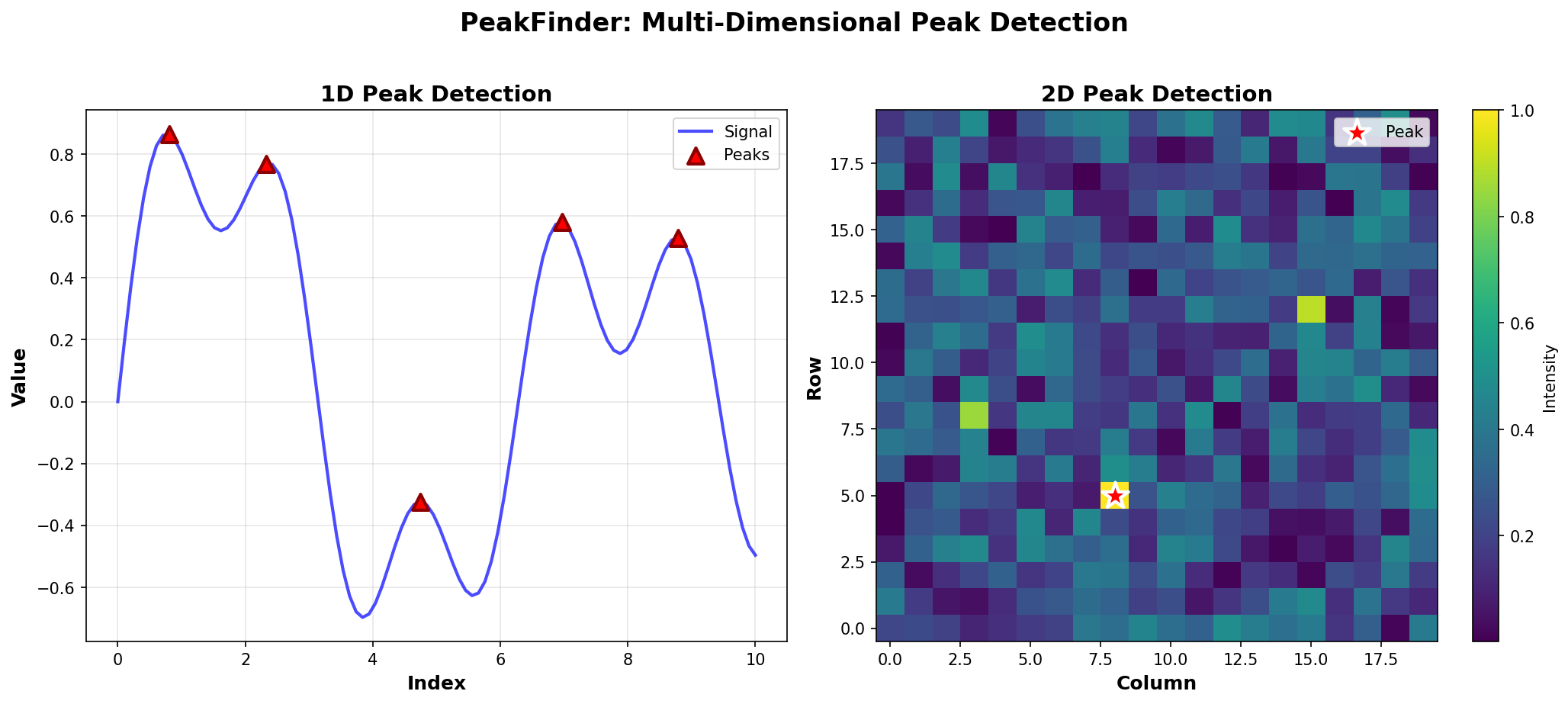
Deterministic Peak Detection for Multi-Dimensional Data
2D Peak Detection Examples
Examples for finding peaks in 2D matrices.
What is a 2D Peak?
A peak in a 2D matrix is an element that is greater than or equal to all its neighbors (up, down, left, right). Edge elements are peaks if they are greater than or equal to their available neighbors.
Basic Examples
Simple 2D Peak
from peak_locator import PeakDetector
import numpy as np

matrix = np.array([
    [1, 2, 3],
    [4, 9, 5],
    [6, 7, 8]
])

detector = PeakDetector(matrix)
row, col = detector.find_peak_2d()
print(f"Peak at row {row}, column {col}")
print(f"Value: {matrix[row, col]}")
# Output: Peak at row 1, column 1
#         Value: 9
Using find_any_peak()
For 2D data, find_any_peak() returns a tuple:
matrix = np.array([
    [1, 2, 3],
    [4, 9, 5],
    [6, 7, 8]
])

detector = PeakDetector(matrix)
peak = detector.find_any_peak()
row, col = peak
print(f"Peak at ({row}, {col})")
Real-World Examples
Image Analysis
Find the pixel with maximum intensity:
import numpy as np
from peak_locator import PeakDetector

# Simulate an image (grayscale, 0-255)
image = np.random.rand(100, 100) * 255
image[50, 50] = 255  # Add a bright spot

detector = PeakDetector(image)
row, col = detector.find_peak_2d()
print(f"Brightest pixel at ({row}, {col})")
print(f"Intensity: {image[row, col]}")
Terrain Analysis
Find the highest point in elevation data:
# Simulate elevation data
elevation = np.array([
    [100, 150, 200, 180],
    [120, 250, 300, 190],
    [110, 140, 280, 170],
    [105, 130, 160, 175]
])

detector = PeakDetector(elevation)
row, col = detector.find_peak_2d()
print(f"Highest point at ({row}, {col})")
print(f"Elevation: {elevation[row, col]} meters")
Heat Map Analysis
Find the hottest region:
# Temperature data
temperatures = np.array([
    [20, 22, 25, 23],
    [21, 28, 30, 24],
    [19, 26, 29, 22],
    [18, 20, 23, 21]
])

detector = PeakDetector(temperatures)
row, col = detector.find_peak_2d()
print(f"Hottest region at ({row}, {col})")
print(f"Temperature: {temperatures[row, col]}°C")
Visualization
Visualize 2D peaks (requires peakfinder[viz]):
from peak_locator import PeakDetector
from peak_locator.visualization import plot_2d_peak
import numpy as np

matrix = np.array([
    [1, 2, 3],
    [4, 9, 5],
    [6, 7, 8]
])

detector = PeakDetector(matrix)
peak = detector.find_peak_2d()
plot_2d_peak(matrix, peak=peak)
Edge Cases
Single Element Matrix
matrix = np.array([[5]])
detector = PeakDetector(matrix)
row, col = detector.find_peak_2d()
print(f"Peak at ({row}, {col})")  # Output: Peak at (0, 0)
Single Row
matrix = np.array([[1, 5, 3, 2, 4]])
detector = PeakDetector(matrix)
row, col = detector.find_peak_2d()
print(f"Peak at row {row}, column {col}")
Single Column
matrix = np.array([[1], [5], [3], [2], [4]])
detector = PeakDetector(matrix)
row, col = detector.find_peak_2d()
print(f"Peak at row {row}, column {col}")
All Same Values
matrix = np.array([[5, 5, 5], [5, 5, 5], [5, 5, 5]])
detector = PeakDetector(matrix)
row, col = detector.find_peak_2d()
print(f"Peak at ({row}, {col})")  # Any position is valid
Algorithm Details
The 2D peak detection uses a divide-and-conquer approach:
- Find the maximum in the middle column
- Check if it’s a peak (compare with left and right neighbors)
- If not, recurse on the side with the larger neighbor
Time Complexity: O(n log m) for n×m matrix
Space Complexity: O(log m) for recursion stack
Performance Tips
- Large matrices: The algorithm is efficient even for large matrices
- Memory: Uses minimal extra memory (only recursion stack)
- Multiple queries: For repeated queries on the same matrix, consider caching results
Limitations
- Currently finds any peak, not all peaks
- For finding all peaks in 2D, you may need to use a different approach
- The algorithm is designed for finding a single peak efficiently
Next Steps
- Learn about 1D Peak Detection
- Explore N-Dimensional Concepts
- Check out Visualization for plotting